Student-run Social venture Built for teens

Turn your idea into a real impact project.

Youth Labs is a student-run platform that helps teens launch clubs, service projects, and tech solutions with clear guidance, mentorship, and tools.

  • ✅ Step-by-step project roadmaps
  • ✅ 1:1 and group mentorship
  • ✅ Workshops, resources, and a teen community

Clubs & Projects

12+

Example projects on the platform.

Mentors

6

Student leaders & adult allies ready to help.

Skills Built

Leadership Tech Service

Every project builds real-world skills.

Impact Dashboard

This shows how impact could be tracked as Youth Labs grows.

Projects in Planning
14
Projects Launched
6
Students Reached
180+

In a full version, this would pull live data from active projects and partner schools.

How Youth Labs Works

From “I have an idea” to “We launched our project” — in three guided steps.

01

Submit Your Idea

Share your idea for a club, service project, or tech solution. It doesn’t need to be perfect—just real and meaningful to you.

02

Match with a Mentor

We connect you with mentors who can help with planning, outreach, execution, and even pitch preparation if you’re entering competitions.

03

Launch & Grow

Use our toolkits, workshops, and community support to launch your project, track impact, and grow your reach over time.

Not sure where to start?

Answer a few quick questions and we’ll suggest a project type and next steps.

Submit Your Project Idea

This isn’t a formal application—it’s a starting point. When you’re ready, use the button below to open the Youth Labs idea form in a new tab.

The form will ask for your name, school, contact info, and a short description of your idea. After you submit, we’ll help you shape it into a strong, launch-ready project plan.

Open Project Idea Form

Mentor Support

Youth Labs mentors include student leaders and community partners who care about helping teens launch real projects—and learn along the way.

Request a Mentor

If you already have an idea and want to talk it through with someone, use this form. We’ll use your answers to match you with a mentor.

Request a Mentor

Become a Mentor

Are you a student leader, teacher, or community member who wants to support teen-led projects? Use this form to share your background and how you’d like to help.

Mentor Sign-Up Form

Founders

Youth Labs was created by students who wanted to make it easier for other teens to launch real projects, clubs, and social ventures.

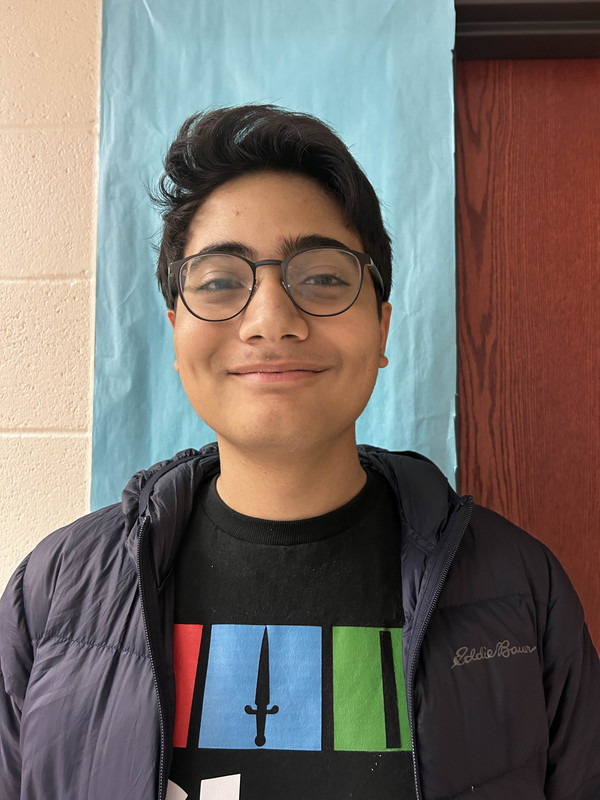
Mukesh Mannava

Founder

Westlake High School • Class of 2026

Mukesh is a student leader who loves building tech projects and helping other students turn ideas into real action at their schools and in their communities.

Medhansh Nigam

Founder

Westlake High School • Class of 2026

Medhansh focuses on practical problem-solving, community impact, and helping Youth Labs projects stay organized, realistic, and student-driven.

Teen Project Directory

These are example projects and ideas to inspire your own venture. Click “I’m Interested” to see a story-style breakdown of how clubs like these got started.

Geography Club

Launched

Student leaders • Example High School

A club where students explore maps, cultures, and global events through games, discussions, and student-led sessions.

Goal: Help more students feel curious and confident about the world.

Impact metric: Meeting attendance & geography events hosted

Homework Help Crew

Launched

Peer tutors • City Youth Center

A peer tutoring project where older students help younger students with homework in a friendly, drop-in format.

Goal: Provide free homework help at least 2 days a week.

Impact metric: Tutoring sessions logged & student confidence

Computer Club Workshops

Pilot

Computer Club leaders • Example High School

A series of beginner-friendly workshops where any student can learn to build websites, games, or small apps—no experience required.

Goal: Help students ship their first tech project.

Impact metric: Finished projects & workshop participation

Youth Labs Project Finder App

Idea

Mukesh Mannava • Westlake High School

A simple app or website that lists clubs and student projects in one place so teens can discover opportunities and click “I’m interested.”

Goal: Launch the first version and onboard multiple clubs.

Impact metric: Active users & projects listed

Community Wins & Updates

Share quick wins, milestones, or questions. This is a simple preview of what a Youth Labs community feed could look like.

Workshops & Programs

These offerings show how Youth Labs could sustain itself while growing impact.

Students • $10 / student or school-sponsored

Launch Your School Club (Student Workshop)

A 90-minute session to help students design, pitch, and launch a new club.

Status: Pilot

Students • $15 / student or partnered

Social Venture 101 (Teen Accelerate Prep)

A focused workshop to turn ideas into social ventures with clear impact and revenue.

Status: Coming Soon

Schools • Custom per semester

Student Project Cohort (For Schools)

A 6–8 week program supporting a cohort of student-led projects with mentors and toolkits.

Status: Pilot

Ready to bring a workshop to your school or group? Fill out the short form below.

Workshops & Programs Form

For Schools & Organizations

Partner with Youth Labs to support student-led projects at your school or in your community.

Share your school/organization info, estimated number of students, and the type of support you’re looking for (workshops, project cohorts, teacher training, etc.).

Open Partnership Form

How Other Students Launched Their Clubs

These stories walk through exactly how real students turned a simple idea into a club, tutoring program, or app. Use them as a model for your own Geography Club, coding club, homework help crew, or Youth Labs project.

Geography Club (Maps, Cultures, & Global Issues)

How it started: It began with one student who loved maps and world news but noticed that geography barely showed up in regular classes. They kept bringing up random facts in history and science, and friends joked that they needed “a whole club” for it. Instead of just laughing it off, the student wrote down three simple reasons the club should exist: to help people understand other countries, to connect current events to real places, and to make geography more fun than worksheets.

Finding an advisor & getting a room: The student started with the teacher who already talked about global issues in class. During office hours they said, “I want to start a Geography Club where we do map games and talk about world events. Would you be willing to be our advisor?” The teacher liked that the idea was low-cost and educational, so they agreed and emailed the principal asking for permission to use a classroom one day after school every other week.

First launch moves: Instead of waiting for everything to be perfect, they picked one simple first meeting: a “World Trivia & Snacks” day. They made a Google Form to collect interest, created a one-page flyer with the meeting date, and asked social studies teachers to show the slide in class. At the first meeting, they kept it chill—quick introductions, a Kahoot about countries and capitals, and a short conversation about where people in the room had family roots or had traveled.

How it grew: After the first few meetings, students started suggesting themes: “Disasters & Climate,” “Foods Around the World,” “Mystery Flag Day.” They built a simple schedule for the semester with one student leading each session. The club added small projects like making a bulletin board of “Country of the Month” and helping teachers run a Geography Bee. Their goal shifted from just “having a club” to helping more students feel curious and confident about the world, and they measured success by how many students kept coming back and how often geography topics showed up in school conversations.

Homework Help Crew (Tutoring / Homework Help)

How it started: Two students realized that every week, friends were texting them last-minute questions about math and science. They were already doing informal tutoring, but it only reached a small circle. One day they asked each other, “What if this was an actual program instead of random DMs?” They wrote a short description: free homework support after school, led by students who had already passed the classes.

Advisor, schedule, and space: They met with a counselor and explained that they wanted a safe, consistent place for students to drop in for help. The counselor liked the idea and helped them reserve the library twice a week. Together they chose clear times (for example, Tuesdays and Thursdays from 3–4 p.m.) so teachers could easily remember when to recommend it.

First launch moves: Before opening to the whole school, they recruited a small group of peer tutors—students who did well in Algebra, Biology, Spanish, and English. They created a simple sign-in sheet with each student’s name, class, and what they needed help with. For the first week, they invited classmates they already knew and asked teachers to send one or two students who might benefit. The vibe was friendly and low-pressure: no lecturing, just sitting next to someone and working through problems together.

How it grew: Over time, they noticed patterns: certain classes always showed up (like Algebra 1 before tests) and some days were busier than others. They used this info to schedule extra tutors on heavy days. They also connected with National Honor Society so tutors could earn service hours, which brought in more volunteers. Their main goal became making sure no one felt stuck or alone with homework, and they tracked impact by counting sign-ins and asking, “Did this session help you feel more confident?” at the end of each visit.

Computer Club Workshops (Coding, Apps, & Tech Projects)

How it started: A group of students loved coding and robotics, but they noticed that many classmates were curious about tech and didn’t know where to begin. People kept saying, “I’d join Computer Club, but I don’t know anything yet.” The leaders decided to redesign the club so it wasn’t just for advanced students, but also for beginners who wanted to learn through hands-on workshops.

Defining the mission: They wrote one sentence they could repeat to anyone: “Computer Club is the place where any student can learn to build something—from websites to games—no experience needed.” They talked to their existing advisor and asked if they could run a series of beginner-friendly workshops instead of only competition practice. The advisor agreed as long as they kept good attendance records and shared examples of student projects.

First workshop series: They designed a three-part “Build Your First Website” mini-course. Session one walked through basic HTML, session two added CSS style, and session three showed how to publish a simple page. They made slides, step-by-step handouts, and a shared folder of starter code. To invite people, they made a short video demo, posted it on school social media, and asked English and art teachers to recommend creative students who might enjoy designing pages.

How it grew: Once students finished the first series, some wanted more. The club introduced optional tracks: game design with JavaScript, app mockups, and hardware projects with microcontrollers. Experienced members became “workshop leads,” which helped them practice teaching and leadership. The club’s goal became helping as many students as possible ship a small tech project they’re proud of, and they measured success by counting finished projects and asking students what skills they gained.

Youth Labs Project Finder App (Tech / Youth Labs Example)

How it started: One student kept hearing the same sentence over and over: “I would join something if I actually knew what was happening.” Clubs were posting flyers, but there was no single place to see projects, teams, or new ideas. That student wondered what would happen if there was one simple hub where teens could browse clubs, read what they’re about, and click “I’m interested.”

Building the first prototype: Instead of jumping straight into a huge app, they started with a basic website that looked a lot like the project directory on this page. Each project had a name, short description, status (Idea / Pilot / Launched), and a button to express interest. They used simple tools—HTML, CSS, and JavaScript—or a no-code builder so they could move quickly without getting stuck on advanced features.

Testing with real students: Before announcing it school-wide, they showed the prototype to a few club leaders and one teacher. Together they checked whether the wording made sense and if the sign-up buttons actually helped students connect with clubs. They created a short interest form that automatically sent responses to club leaders and Youth Labs mentors.

How it grew: As more clubs and projects were added, the app became a living map of student ideas. The creator partnered with Computer Club to keep improving the site: adding filters (like “Service,” “Tech,” or “Advocacy”), better search, and a future plan for student logins. The long-term goal is making it easy for any teen to discover a project, find collaborators, and get connected to mentors. Every new project listed is a sign that Youth Labs is working.

When you plan your own project, borrow pieces from these stories: write a clear mission, pick one simple first meeting or event, find a supportive adult, and use feedback from real students to decide what to do next.